
ASL Bloom - Sign Language
SignLabEducation
4.83.05K Reviews
- Version
- 1.36.90
- Installs
- 500.00K
- Age Rating
- Everyone
Screenshots
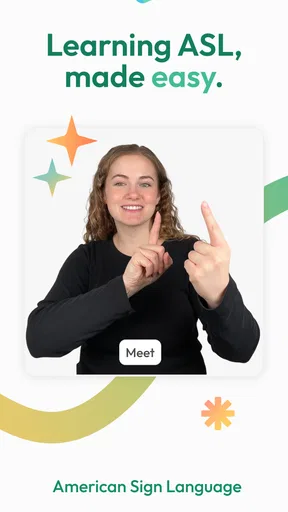
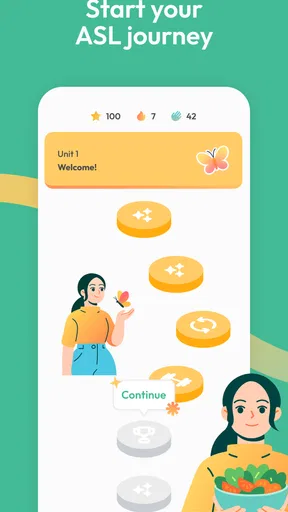
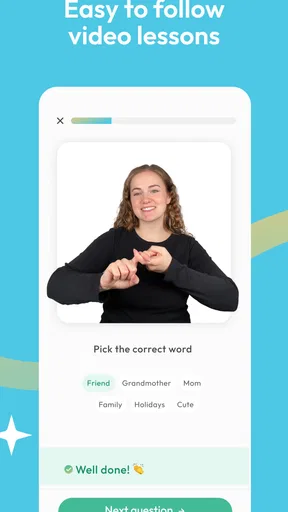
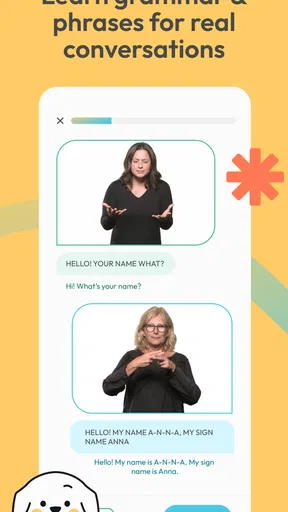
Our Review of ASL Bloom - Sign Language
 Analysis by Appyee
If you’ve ever wanted to learn American Sign Language (ASL) but didn’t know where to start, ASL Bloom - Sign Language might just be the app for you. It's like having a personal sign language tutor right in your pocket. Let’s dive into what makes this app tick and whether it’s worth downloading.
Choosing a starting point that fits real life
Starting ASL can feel different from starting a spoken language. You are learning handshapes and movement, but also how signs use space and facial expression. I would approach ASL Bloom as a structured first step rather than a shortcut to fluency: it can help you build familiarity and a practice habit, while real conversations and Deaf-led learning remain important parts of understanding the language in context.
That makes the app most useful for someone who wants a low-pressure way to begin: a curious beginner, a family member learning alongside a Deaf relative, or a person who wants to recognize common signs before taking a class. It is less suited to someone who needs professional interpreting skills, a credential, or a complete substitute for conversation with fluent signers. Those goals call for guided instruction and feedback from people with deeper ASL experience.
Getting Started with ASL Bloom
First things first, downloading ASL Bloom - Sign Language is a breeze. It’s available on both Android and iOS, so no one gets left out. As soon as you open the app, you’re greeted with a sleek, intuitive design that’s as inviting as it is functional. It doesn’t take long before you’re signing your first words.
From a short lesson to a usable practice loop
One practical way to use the lessons is to choose a small batch of material, watch each demonstration carefully, then pause before copying the movement. I find that trying to sign immediately can make it easy to imitate the rough shape while missing the direction or rhythm. Replaying a clip and comparing your own attempt against it gives you a better chance to notice those details, even though self-review is not the same as a teacher correcting you in person.
The recording option is most helpful when used as a comparison tool, not as proof that a sign is correct. A phone camera angle can hide a handshape or make movement look different, and a learner may not notice an error that an experienced signer would catch. Try recording from a consistent position with your hands fully visible, then look for one detail at a time rather than judging the whole performance at once.
Interactive Learning Experience
One of the coolest features of ASL Bloom is its interactive learning modules. The app takes you through various lessons starting with the basics like the alphabet and numbers, and then moves on to more complex phrases and sentences. Lessons are bite-sized, making it easy to squeeze in learning during a coffee break or while waiting for your ride.
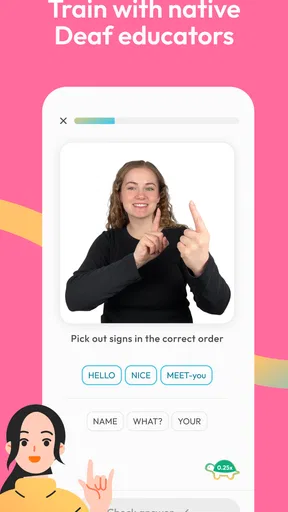
I must say, the video demonstrations are top-notch. You get to see signs in motion, which is crucial for understanding the nuances of ASL. Plus, you can replay them as many times as you need. The app also lets you practice by recording your own attempts, giving you instant feedback. It’s like having a patient teacher who never gets tired of repeating the same lesson.
Keeping the learning from fading between sessions
A useful routine is to revisit a few earlier signs before moving into new material. That small check helps reveal whether you remember a sign without watching the demonstration first. If you only recognize it while the video is playing, you may need another pass before relying on it in conversation. I would also group practice around a real purpose—introducing yourself, asking a simple question, or communicating with a family member—rather than collecting isolated signs without a situation in mind.
For an everyday example, imagine you are learning because a friend or relative uses ASL. You could spend a short break reviewing a few signs, record a practice attempt, and later ask that person whether your movement is understandable. The app can supply a repeatable starting point, while the conversation provides context and a human response. That handoff matters: a lesson can teach a form, but interaction helps you learn when and how it is used.
Engaging Challenges and Quizzes
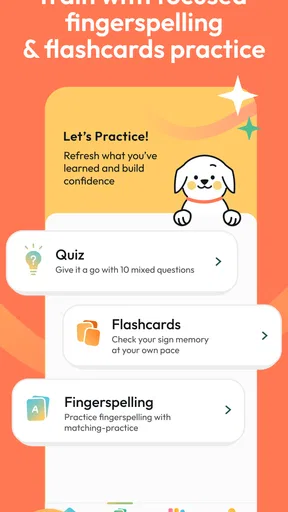
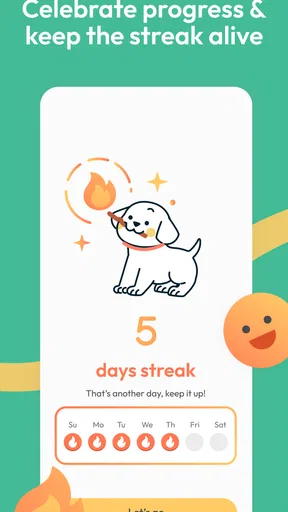
What’s learning without a bit of fun, right? ASL Bloom incorporates quizzes and challenges to test your knowledge and keep you on your toes. These quizzes are not just for fun; they help reinforce what you've learned, ensuring that you retain the information long-term. The app rewards you for your progress, which is a nice touch that keeps motivation levels high.
I would treat a quiz as a quick check of recall, not a final measure of communication ability. Recognizing an answer in a test is easier than producing a sign naturally while someone is looking at you. A sensible workflow is to use a challenge to spot what needs work, return to the relevant demonstration, then try the sign again without the prompt. That turns the quiz into a guide for your next practice session instead of a score to chase.
Where the app fits among other ways to learn
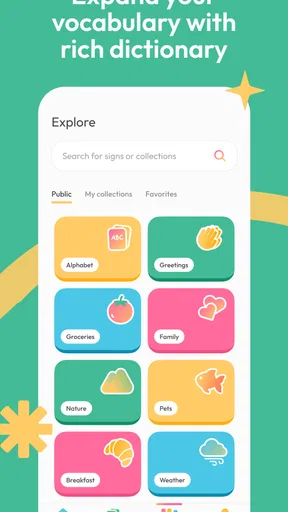
Compared with a dictionary-style reference, this app’s lesson sequence and short practice activities are more helpful when you are starting from scratch and need a path through the basics. A dictionary can be quicker when you already know what you want to look up, but it may leave a beginner unsure what to learn next. A live class or Deaf-led conversation offers richer correction, cultural context, and turn-taking; in those situations, an app is better as preparation or review than as a replacement.
That distinction is worth keeping in mind if you are learning for someone else. ASL is a language used by a community, not simply a set of gestures to memorize. The app may help you take the first steps, but listening to Deaf people’s perspectives and practicing respectfully with willing conversation partners are important complements. If your main need is urgent communication, arrange direct support rather than depending on a beginner lesson to carry a high-stakes exchange.
Engaging Challenges and Quizzes
What’s learning without a bit of fun, right? ASL Bloom incorporates quizzes and challenges to test your knowledge and keep you on your toes. These quizzes are not just for fun; they help reinforce what you've learned, ensuring that you retain the information long-term. The app rewards you for your progress, which is a nice touch that keeps motivation levels high.
Community and Support
Learning a new language is always better with support, and ASL Bloom doesn’t disappoint. The app features a community section where you can connect with other learners. It’s a fantastic way to practice and share tips. Plus, the support team is responsive and always ready to help, which is a massive plus for any app.
The community can make solo practice feel less isolated, but I would still be selective about what I take from peer advice. Learners may be at different stages, so a shared tip is not automatically authoritative. I’d use the space to find encouragement and compare study approaches, while checking uncertain language points with a qualified teacher or trusted fluent signer. That keeps the social element useful without treating every discussion as formal instruction.
Room for Improvement
No app is perfect, and ASL Bloom does have a few areas where it could improve. While the free version offers a decent amount of content, the full experience does require a subscription. This might be a dealbreaker for some, but if you’re serious about learning ASL, the investment is well worth it.
ASL Bloom is free to download, and its Education category makes its purpose clear, but some content is tied to in-app purchases priced from $18.99 to $98.99 per item. I would explore the free material and decide whether the teaching style suits you before paying. The app is rated 4.7 on average from around 13,000 ratings, with roughly 2,400 written reviews and more than 500,000 installs; that broad interest is reassuring, though it cannot tell you whether the lesson approach fits your own needs. It is rated for Everyone, was released on June 30, 2022, and version 1.36.24 runs on Android 7.0 or later.
The purchase decision also depends on what you want from the course. If you only need a few introductory signs, the free portion may be enough to see whether you enjoy practicing this way. If your aim is sustained learning, compare the available paid access with a class or another learning resource, including how much direct correction you will get. I would not pay simply because a progress screen makes stopping feel like losing momentum; pay only if the lessons are helping you form a routine and you can explain what you want to learn next.
Another point to consider is the lack of offline access. It would be great to have lessons available without needing an internet connection, especially for those who want to learn on the go without using up data.
That limitation changes where I would plan a session. If you expect to study during a commute or somewhere with unreliable service, open the app beforehand and make sure the material you intend to use is available; don’t assume a video will work once you are offline. For a dependable routine, a short session at home or somewhere with a stable connection is a safer choice than making the app your only activity for a long trip.
Who should choose this, and who should look elsewhere?
I would recommend trying it if you want guided beginner practice that fits into spare moments, especially if you learn well by watching a movement more than once. It can also suit someone who wants to prepare for a first class by becoming familiar with basic signs and the experience of practicing on camera. Parents or relatives learning alongside a Deaf child or adult may find the repeatable lessons useful, provided they treat the app as one part of a broader learning relationship.
I would look elsewhere—or use this only as a supplement—if you need a teacher to correct your signing in real time, want substantial cultural instruction, or must communicate accurately in a sensitive or urgent situation. A live course, Deaf-led resource, or direct conversation is a better fit for those needs. If you are unsure whether you will keep studying, start with a small routine using free material instead of committing to a paid path before you know whether the format works for you.
Final Thoughts
In conclusion, ASL Bloom - Sign Language is a fantastic app for anyone looking to dive into the world of ASL. Its interactive features, engaging challenges, and supportive community all contribute to a well-rounded learning experience. While the subscription model and lack of offline access might deter some, the overall value and quality of the content make it a standout choice for aspiring signers.
So, if you’re ready to start signing, give ASL Bloom a try. It might just open up a whole new world of communication for you.
Privacy and Permissions
See what permissions an app requests and how it handles your data.
- Photos/Media/Files
- read the contents of your USB storage, modify or delete the contents of your USB storage
- Storage
- read the contents of your USB storage, modify or delete the contents of your USB storage
- Camera
- take pictures and videos
- Wi-Fi connection information
- view Wi-Fi connections
- Other
- view network connections, full network access, run at startup, draw over other apps, control vibration, prevent device from sleeping
Verdict
Strengths of ASL Bloom - Sign Language
- User-friendly interface and design.
- Comprehensive lessons for all levels.
- Interactive quizzes enhance learning.
- Offline access available for convenience.
- Regular updates with new content.
Limitations of ASL Bloom - Sign Language
- Limited languages besides ASL.
- Some features require a subscription.
- Occasional app crashes reported.
- No video call practice feature.
- Limited community interaction options.
Similar Picks in This Category
View All
Duolingo: Language Lessons
Duolingo4.7

Google Classroom
Google LLC2.8

Unacademy: Learn & Crack Exams
Unacademy3.2

Bible App for Kids
Life.Church4.4

Cake - Learn English & Korean
Cake Corp.4.7

Brainly: AI Homework Helper
Brainly4.5
Frequently Asked Questions
What features does ASL Bloom offer for learning sign language?
ASL Bloom provides a comprehensive set of features designed to make learning American Sign Language engaging and effective. These include interactive lessons, video demonstrations by native signers, quizzes to test your knowledge, and a progress tracker to monitor your improvement. The app also offers a community forum for users to connect and discuss learning strategies.
Is ASL Bloom suitable for all skill levels?
Yes, ASL Bloom caters to learners at all skill levels, from beginners to advanced users. The app offers tiered lessons that start with basic signs and phrases, gradually progressing to more complex conversations. This structured approach ensures that learners can build a strong foundation before advancing to more challenging material.
Does ASL Bloom require an internet connection to use?
ASL Bloom requires an internet connection for downloading lessons and accessing community features. However, once lessons are downloaded, they can be accessed offline, making it convenient for users to practice anytime, anywhere. This flexibility is especially useful for learners with limited internet access.
How does ASL Bloom support user engagement and motivation?
ASL Bloom incorporates gamification elements to keep users motivated. Features like achievement badges, daily challenges, and leaderboards encourage consistent practice. Additionally, the app’s user-friendly interface and engaging content create an enjoyable learning experience that keeps users coming back.
Is ASL Bloom accessible for users with disabilities?
ASL Bloom is designed with accessibility in mind. The app supports various accessibility features such as adjustable text sizes, contrast settings, and voiceover compatibility. These features ensure that users with visual or auditory impairments can also benefit from the app’s resources and enhance their learning experience.
